

Lensholder
Secure fit for clear vision
Each VisionOne box comes with lens holders that can be used to put on the refraction lenses for the patients needing the correction for refractive errors. Three different sizes (S/M/L) are available to accommodate for different inter-pupillary-distance (IPD)s.
Lens-holder Adapter – First use setup
If your headset doesn’t already have the adapter (black part below) set up, please follow the instructions below:
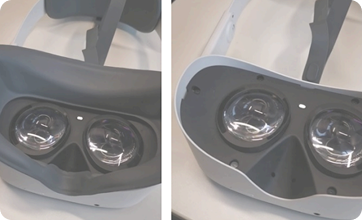 Removal of the foam
1- Remove the Foam part by pulling on it (click-in mechanism).
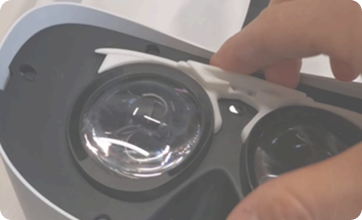 Inserting the adaptor
2- Insert the adapter: slide the clips in the extrusions as shown below. Push until you hear a loud click.
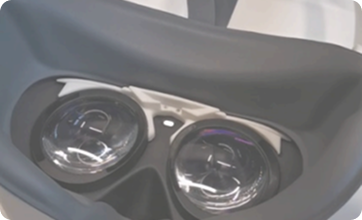 Re-mount the foam
3- Re-mount the foam part by pushing it onto the headset. If you are experiencing an issue with the mounting, repeat step 2.
Once the adapter is set up, it doesn’t need to be removed. If you want to remove it anyways, simply proceed with the steps backwards.
Inserting the trial lenses
Select the correct trial lenses and insert them by pushing as shown below. The lens-holder has two slots on each side. If you are using only one lens, always place it in the slot closer to the patient (closer to the ring, as shown below).
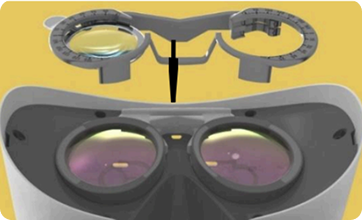 Inserting lenses