

Charging
How to properly charge the device

Battery Maintenance
Turn on the headset regularly to avoid battery drainage. It’s important not to store the devices for long periods without powering them on. If long-term storage is necessary, ensure the devices have at least 80% battery before putting them away. Additionally, power them on and charge them once or twice every other month.
Charging the headset
To charge your headset, locate the USB charging port on the top of the device, next to the power button. Connect the provided charging cable to the port and plug it into a power adapter.
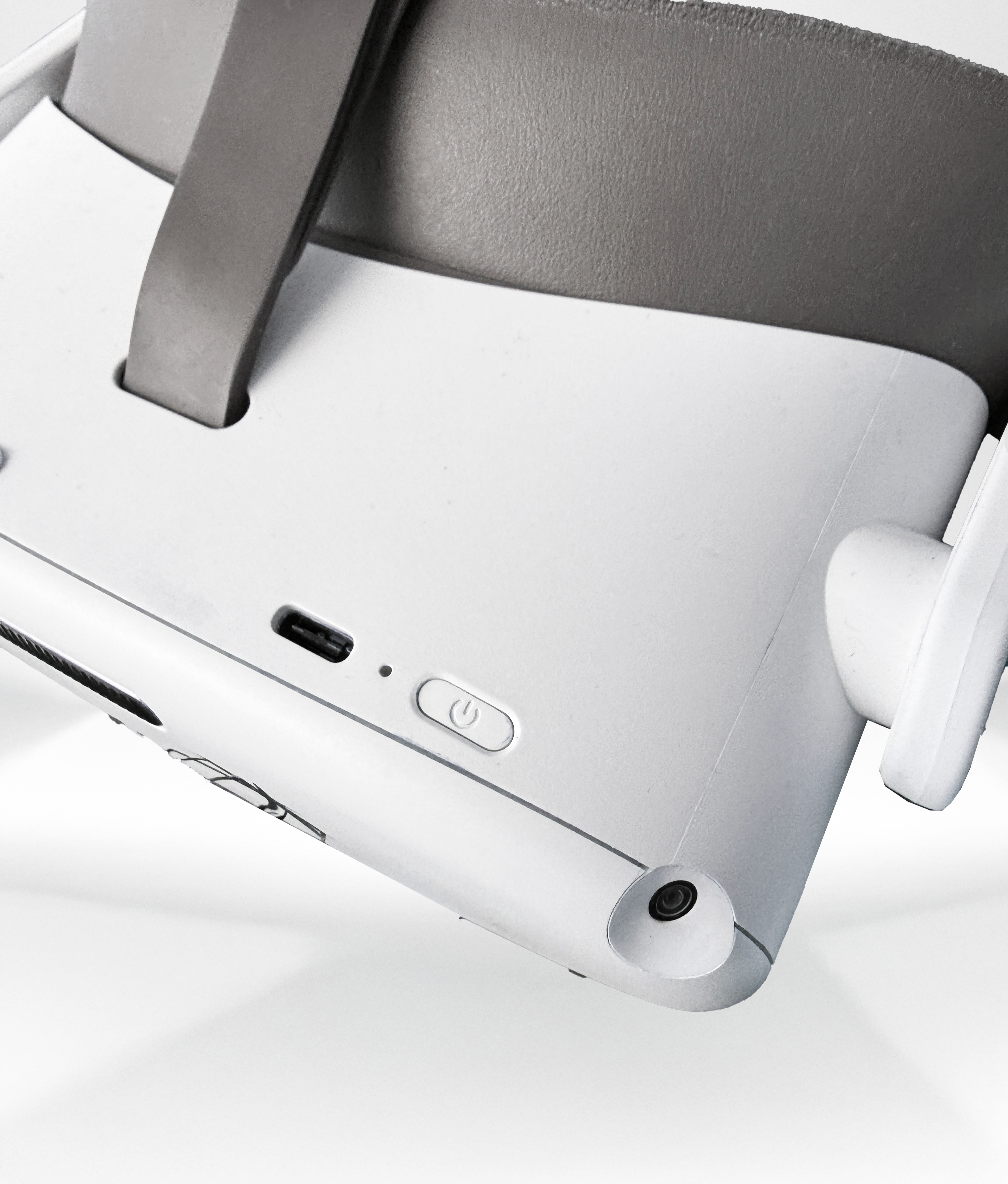 Device's charging port
The LED next to the power button indicates the VR headset status:
Blue: Powered on with battery over 20%
Red flashing: battery is less than 20%
Green: Charging complete
Off: Sleeping or powered off
Blue flashing: shutting down
Yellow: Charging battery is less than 98%
Red: Charging battery is less than 20%